Audio Geek Zine » Audio Effects Explained Series.
Nice series of articles….
Audio interloper
Audio Geek Zine » Audio Effects Explained Series.
Nice series of articles….
ftp://ftp.dbxpro.com/pub/PDFs/WhitePapers/Compression%20101.pdf
Must study this because the 266xl I got (for dirt cheap, admittedly) sounds like shit. Very clicky with short envelope settings. Even using as asidechain to duck the bass with the Kick the artefacts are too obvious. I want pump, but without the clicks. The unit imparts a muddy character, even in bypass mode.
One more chance then it’s up for sale. Maybe best to use software for this task.
A different way of looking at compression.
Looking at getting a Yamaha RM-50…
The SYEMB06 Project came about through a discussion on the YamahaForums website back in 2006. The idea was to design and manufacture a replacement for the long discontinued and now very rare Yamaha SYEMB06 512KB memory module.
Yamaha SY85 – You can install 1 or 2 modules (512KB / 1024KB)
Yamaha TG500 – You can install 1 or 2 modules (512KB / 1024KB)
Yamaha RM50 – You can install 1 module (512KB)
via SECTOR101 | Home of the SYEMB05, SYEMB06 & MCD Sweet16 Projects!
The Tweakers Guide to MIDI Controls
Handy – especially for cc assignments to avoid.
In an effort to bring System Exclusive (SysEx) messages to the masses, I embarked on a mission to produce this tutorial which will help people plumb the depths of this wonderful and powerful area of MIDI.
via Eddie’s Home – MIDI – SysEx Tutorial.
Also see Creating User Drum Sets on the Roland Sound Canvas – could apply to SH-32?
Handy reference. I love the drum sets in the SH-32 but they can’t be edited ‘on-the-fly’ from the front interface.
A look at the SH-32’s MIDI spec indicates that editing of individual drum tones might be possible in software.
If time allows (and this is not a priority), I hope to build a VST Rhythm Tone editor for the SH-32 using Synthmaker.
Nice little project, but where will I find the time?
xl7 : Message: assigning sends/sub-outputs – in the pattern.
Nice tip from AtomSmasher on the Yahoo group:
until recently, if i wanted a patch to be routed to a particulars sub-output (send) i would save an edited copy of the patch with “->2” appended to the patch name so i could tell it’s routed to send 2, or sub-output 1.
of course this consumes a memory location for a patch which is often just a duplicate patch. not ideal.
better way: leave the “output” parameter alone in the patch. go into the event editor and create an event for that MIDI channel on CC-79: Controller 79 is hard-coded to the Mix Output parameter.
0 = Use Preset
1 = Send 1
2 = Send 2
3 = Send 3
4 = Send 4While looping, create the CC-79 event at tick 002. make sure it works as desired, then move the event to tick 001 (where it’s used to set up the patch but won’t loop).
with different effects (or effect/no-effect), multiple CC-79 messages can be used to bounce a patch to different effects/sends during different sections of a loop 😉
…atom
________________________
http://atom.smasher.org/
These settings ensure best quality (HD) and no loss of audio sync.
Video settings:
Audio settings:
Yesterday, while still getting aquainted with the ESU1808, i wasn’t paying too much attention to background noise. However, I was still aware of a ground loop caused by the laptop which was particularly evident when the monitor levels were above 12Oclock. Today i investigated further.
Maybe I had fresh ears, but it seemed worse this morning. Although I knew the source was the laptop, I thought the solution might be in the cabling. So I switched around a few balanced/unbalanced connections. Interestingly, the FS1R was a major contributor to the ground hum. Even so, unplugging the laptop always killed the hum, so I knew I had to deal with it.
Step one was to go out and buy a power conditioner / surge protector strip with in-built interference filter. No improvement.
Step two…. I ‘lifted the ground’ on the laptop plug and – voila – problem solved. Must find a safer alterative.
Next I checked the s/pdif connection from the XL-7 into the 1808. Input is detected and the signal is surprisingly strong. Only problem – ASIO4ALL doesn’t recognize the s/pdif inputs or outputs of the 1808 😦
This could be because the digital switch is in the ESI control panel, and not on the hardware. Need to work on it….mail sent to ESI support.
Optimised the Toshiba i5, connected 10 inputs and recorded, with VST FX at reported latency of 2.9 miliseconds.
I was a little skeptical at first, but this is very usable 🙂
CEntrance -> Latency Test Utility.
The CEntrance ASIO Latency Test Utility is a Precision Windows™ tool to measure audio delay in your computer setup. It measures the true round-trip latency of your computer audio setup, from input to output via an ASIO driver. You can use the LTU to test different hardware, drivers and applications.
Just snagged a second-hand ESI ESU1808. It seems the perfect soundcard for my needs: 18 inputs – 16 simultaneously recorded according to the blurbs and reviews. 8 output jacks, both midi and s/pdif ins and outs.
It arrived today looking pretty beat-up. Heavily used.
No worries, I downloaded and installed the ESI drivers. The ASIO drivers are awful – unusable crackles on playback at even highest latencies. Re-loaded the firmware but no change.
I was beginning to think I had been sold a pup…
Then I remembered ASIO4All. This sweet little driver solved my latency problems with the X-station and several laptops. I switched-over and had immediate improvement!
Rigorous tests tomorrow – must use these optimisation tips:
Optimising your PC for audio on Windows 7 .: Focusrite Answerbase.
But serious props to ASIO4ALL.
Hip-hop’s superstars owe DJ Kool Herc more than just respect | Music | guardian.co.uk.
Pretty good article about Kool Herc from The Guardian (if you don’t know who he is – shame on you).
He’s ill and needs help. Pretty sad that he has to ask for donations – where are all the gangstas now? – they owe this guy everything.
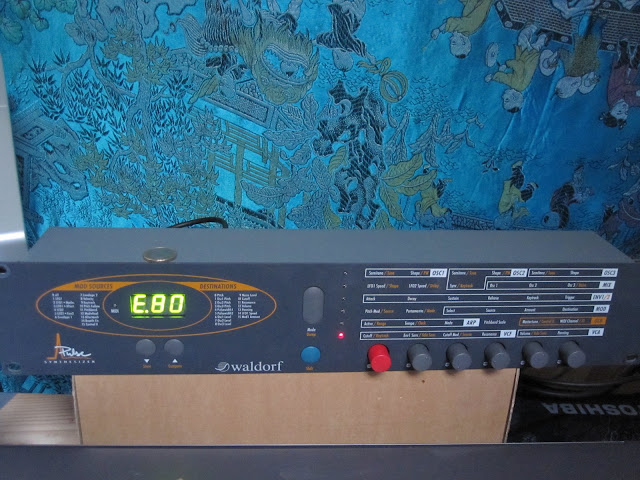
A real-time MIDI synth editor that allows you full control of every parameter of the sound on the Waldorf Pulse.
Looks nice but a bit pricey at 70 clams. I’ve made an X-station map and it’s working nice, but I need the precision provided by a software editor. That said, there are not many parameters, so I could knock something-up in Synthmaker.
On the other hand, there is this free (non-VST) editor from Granucon.
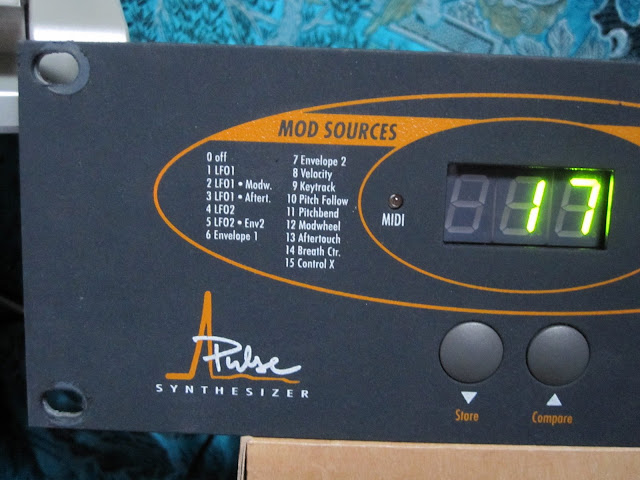
Having lots of fun with the Pulse – very expressive monosynth that begs to be tweaked. The filter sings!
First impressions are very positive! Lovely, ballsy tone. Easy to edit – realtime tweak friendly -now hooked-up and controlled by the X-station.
http://www.franzmfg.com/book1.htm
…came across this useful online book.
Oh yes – mine arrived last week and I’ve been having a lot of unproductive fun with it.
This is a gorgeous bitcrusher/distortion. Apart from the ‘biscuiting’, there’s a real-analogue filter with an optional step-sequencer or envelope follower. There’s also a tempo-synced delay, 9 different waveshapers, pitch shifter and a lovely tube saturation. It sounds wonderful, but too easy to let it take over.
Must. Be. Tamed.

http://prodatum.sourceforge.net/
You can now mix colors with prodatum! check the changelog and this screenshot for more. and while you are at it you may also want to check the little icon in the upper right corner of this site. “) Janus, 14.1.2011
Crashing for me on Win7, but looks very promising. If anyone knows how to compile, maybe you could oblige and post the binary??
For now I will stick with Proteum. Not perfect, often frustrating, but definitely more stable.
The piece’s signature funky bass line was played by Hancock on an ARP Odyssey, as was one of the keyboard solos. The other keyboard solo was played on a Fender/Rhodes piano.
Odyssey solo goodness starts at 10.50