Archive for the 'Zzzzz' Category
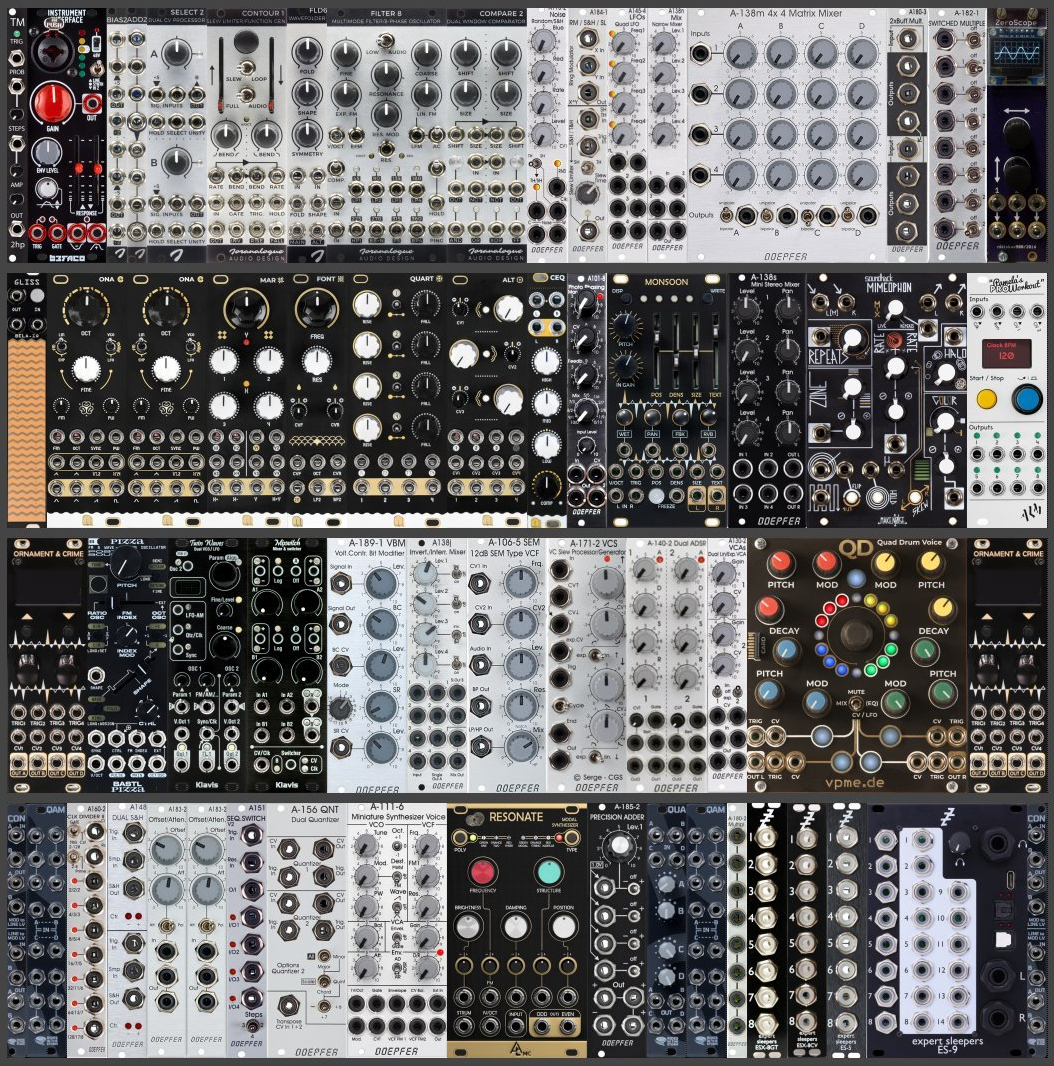
Modular Rig Feb 2025
February 19, 2025Using a Raspberry Pi as USB MIDI Host
February 8, 2016Wheeeeeeeee! I have some money again, though not a lot of time, but I’m determined to finish and further expand the projects I started with such gusto last year.
Both the Tempest and FS1r are blurred memories, and I’ve been getting my kicks, whenever possible, with a Monomachine/Blofeld Combo.
The great thing about this pairing is that I can sequence 6 channels of Blofeld multimode goodness alongside 5 Monomachine tracks, with the 6th track acting as the FX machine for the Blofeld, which is routed back through the MnM inputs. A nice, self contained, and gloriously digital setup. Did I mention that MnM does killer drum synthesis?

On the the MnM it is possible to input chords using an external MIDI keyboard for the Arps and external sequencing.
I have an cheapo Akai LPK USB mid keyboard that would make a nice compliment to this mini setup. But MnM only accepts 5-pin DIN MIDI. One existing option is the Kenton USB MIDI Host, but that goes for over 100 euro.
I got to thinking that I could use my similarly-abandoned and superseded Raspberry Pi 1, and a MIDI 1×1 USB MIDI cable that never got used because it kept causing bluescreens on my Windows PC. What if I could use the Pi to route the output of the LPK through the 1×1?
Well yes, it’s possible, works perfectly, and is really easy to get running.
Any flavour of linux will do, in my case I’m using a Raspberry Pi v1 with an optimised Raspbian Wheezy image I downloaded from here. I’ve also got this to work on a Rpi2 using the official Ubuntu ARMv7 distro.
The instructions for both are the same.
EDIT: Georgios Says:
March 9, 2017 at 22:10 eBy the way, on the latest raspbian, it works out of the box. No need to install anything

Obviously, with only 2 USB ports on the Pi v1, there is no room for wireless, so I needed to login over ethernet.
Once a command prompt is available, it’s a matter of installing Alsa:
sudo apt-get install alsa alsa-utils
Now connect the *class compliant* MIDI devices, in my case the Akai LPK25 and E-mu USB MIDI 1×1.
To show all connected MIDI devices:
sudo amidi -l
Show connection status and port numbers of connected MIDI devices
sudo aconnect -i -o
Look for the device ID, which is in the format x:0. In my case, the LPK25 was 20:0 and the Emu 1×1 was 16:0. So to connect the output of the LPK to the output of the Emu, just go:
sudo aconnect 20:0 16:0
…and voila! Works a treat here, no latency and I’ve sent boatloads of MIDI through it.
To dump all midi message to the screen,
sudo amidi -d
Naturally, we will want this connection to happen automatically every time we start the Pi. Of the several ways to do this, I opted for the laziest, which was to make a root crontab.
If you’re not root already,
sudo su
crontab -e
at the end of the file, enter the aconnect command that works for you to run at reboot, e.g.
@reboot aconnect 20:0 16:0
🙂
Because we can…
April 6, 2014Twinky 2007-2013 RIP
May 28, 2013
She was a good friend.
Lifesaver!
April 3, 2012
This can of Kontakt60 has just saved me a lot of bother, and probably money too. I couldn’t find the much-heralded Caig Deoxit, but I was willing to give this austere-looking German version a go.
A tiny amount has solved my encoder issues with the Blofeld, fixed my jumpy dial on the XL-7, and rejuvenated the rotaries on an old Zoom guitar pedal. Everything behaves as new. In the Blofeld’s case it’s never been better. Magic stuff!
In case you’re wondering…
March 30, 2012My Dropbox public links have been suspended due to having exceeded my public bandwidth. Bah.
Piccies will be back soon-ish.
EDIT: Fixed now. Phew 😛
Interactive Frequency Chart
March 27, 2012Interactive Frequency Chart – Independent Recording Network.
Very handy EQ reference.
Chord Formulas and ‘Feel’
February 23, 2012Where R=root note and the ascending numbers are semitone intervals. 7th note extensions in parenthesis.
| Chord | Formula | ‘Feel’ |
| Semitone | Root+1 | Suspenseful, threatening |
| 5th | R+7 | Solid, ‘power chord’ |
| Major | R+4+3(+3) | complacent, satisfied, optimistic |
| Minor | R+3+4(+3) | Sad (but not always) |
| 7th | R+4+3+4 | Tough, bluesey jazzy rocky |
| Major 7th | R+4+3+4 | Happy, almost jazzy |
| Minor 7th | R+3+4+3 | Airy, melancholy, ‘Not quite’ sad |
| Min/Maj 7th | R+3+4+4 | Softer still |
| Augmented | R+4+4*(+3) | Blues, country, jazz |
| Diminished | R+3+3*(+3) | Classical, jazz, gospel |
| Sus2 | R+2+5 | ‘Open’ sound , hanging there |
| Sus4 | R+5+2 | As above |
| Major 9th | R+3+3+3+4 | Open, soaring, airy |
| 9th (dom 9th) | R+4+3+3+4 | Open, soaring, airy |
| m9th | R+3+7+10+14 | Tragic, hopeless |
| 6th | R+4+3+2 | Jazzy-bossa playfulness |
| m6 | R+3+7+9 | Suspenseful, mysterious |
To find the desired chord on the keyboard: Place a finger on the root note, count-up the semitones to the next position, place your finger and count-up again for the next position, etc. Example: A Maj7th = R+4-3-4 = A – Csharp – E – Gsharp.
To find the first inversion of any chord, take your finger off the root and place it on the note one octave above (in our example, still an A, just an octave higher).
To find the second inversion, move your lowest finger up to the next available note in the chord.
This way you can cycle up and down the keyboard, in the process using the same notes – = A – Csharp – E – Gsharp in different order.
Note names, MIDI numbers and frequencies
February 2, 2012
Deep House Mix Archive
January 25, 2012Frequency-selective Dynamics (Sidechaining)
April 29, 2011Yamaha DX7 Algorithms
April 18, 2011SWS Extension for Reaper
April 10, 2011The SWS/Xenakios extension adds additional workflow and productivity features to Reaper, the Digital Audio Workstation DAW software by Cockos, Inc.
How Music Really Works, Chapter 6: How Chords and Chord Progressions REALLY Work
April 4, 2011CHAPTER 6: How Chords and Chord Progressions REALLY Work
via How Music REALLY Works!, Chapter 6: How Chords and Chord Progressions REALLY Work
An Overview Of FM Synthesis (TX81Z)
April 1, 2011The Theory Of FM SynthesisEverything in nature is a continuum, yet there are certain thresholds within any continuum that result in radical change when they are crossed….
Getting Started with FM
March 27, 2011Most sites and papers on FM detail the mathematics and implementation behind this amazing synthesis method. However, I had trouble finding a good hands-on introduction. After doing OPL2 music for about five years, I decided to write this paper in the hopes that it would make FM programming less intimidating.
Nice Intro, some useful tips via Getting Started with FM
Rhino Skin
March 17, 2011
In the same vane as previous skins, the colour scheme matches my favourite Reaper theme (and my current mood). Click picture to download.
This Rhino is a superb VST FM synthesizer from Big Tick Audio.
Reaper – Tempo changes
March 16, 2011
To add a tempo change to Reaper:
- Place the song position pointer where you would like the change to take place.
- Go to Insert/ Time signature [or] tempo change marker
- …..
via Reaper:Tempo changes – Audio tutorials & database project.
The Role of the Bass Line
March 7, 2011In almost all musical forms, the bass has two important functions to fulfill. First, the bass defines the chords being played and guides the movement of the music from one chord to another. This role is usually shared with a guitar or a piano. Second, the bass provides the rhythm of the music being played. This role is usually shared with the drums. Because it links the two functions of rhythm and harmony, the bass is often the instrument around which the rest of the music is organized.
via Bass Lesson. Part 2 – The Role of the Bass Line | Lessons @ Ultimate-Guitar.Com
Reaper – single-click freeze macro
March 4, 2011…and other handy things…
Cockos Confederated Forums – View Single Post – The Useful Macro Thread
Emotion in musical keys
February 28, 2011In a general way of course, but dig the flowery language.
Mixolydian scales
February 27, 2011The mixolydian scale contains all four notes of the seventh chord (1-3-5-b7). The additional tones are scale degree two, scale-degree four, and scale-degree six. Scale-degree [b]seven is the most characteristic tone of the mixolydian scale, and uniquely identifies mixolydian. The basic quality of mixolydian is major.

 NoisyLittleBugger
