Archive for the 'Waldorf Pulse' Category

Pulse Control v1.1 Released for the Waldorf Pulse | Homegrown Sounds

September 20, 2011

The most important change is the addition of 2 more Modulation Sequencers, and now they can have direct control over each Oscillators frequency. This change alone makes it possible to create sophisticated one finger style polyphonic sequences by being able to control each oscillator independently. As well as this comes 2 more Gate Sequencers with direct triggers for Envelopes 3 and 4, and also adds the ability to trigger the volume of each oscillator independently. The sequencers can also be assigned via the modulation matrix along with all other Sources.

via Pulse Control v1.1 Released for the Waldorf Pulse | Homegrown Sounds.
Synth Secrets – Oscillator Sync

May 9, 2011

When two oscillators are hard-synchronised, then if the master frequency is lower than the slave frequency, changing the pitch of the slave changes the timbre of the output.

via Synth Secrets

Waldorf-User FAQ | Envelope clicks

May 8, 2011

A click is produced when a very fast level change in the audio signal occurs. You can easily check that on your home stereo when you play back a CD and switch the Source Selector back and forth between CD and a source that doesnt play anything. The brightness of the click depends on the speed of the level change. The faster the level changes, the brighter is the click. So, the level change speed can be compared with the cutoff of a lowpass filter.

There is an easy formula for it: Lets consider a level change from full to zero or from zero to full output from one sample to another on a machine that uses 44.1kHz sample rate.

So, we first transfer the sample to milli seconds:

1 sample equals 1/44100 second, which is = 0.02267573696ms. To calculate the cutoff frequency of the click, just use this formula: Cutoff Hz = 1000 / Level Change Time ms

which in the example results in: 44100Hz = 1000 / 0.02267573696ms

via Waldorf-User FAQ | Browse PU

Waldorf Tricks – Synthesizer Wiki

February 27, 2011

Now, the Waldorf Pulse: attack 0 means 1.9ms. 1.9ms is equal to around 523 Hz with this simple calculation: 1 divided by seconds = Hz So: 1 / 0.0019 is around 523 Hz. This in turn means: you can hear a click in the attack phase that has a maximum frequency of 523Hz which is already easily noticable. When you now turn the amp attack rate to 1, you have 2 x 1.9ms = 3.8ms = 261Hz. Ah, that’s hollower. But still too bright when you play a low and hollow bass sound. When you e.g. play a hollow bass sound with around 80Hz base frequency, you have to make sure that the attack envelope is no shorter than 12.5ms to prevent *any* click. And this is an amp attack value of around 6 on the Pulse!!

Waldorf Tricks – Synthesizer Wiki.

How To Play Funk Bass (beginners)

February 27, 2011

Bass Lessons: How To Play Funk (for Beginners)

Nice!

I’ve been bashing away on the Pulse this morning.  Hooked-up to the X-station I have full hands-on control of most parameters, making for a great playing experience.

I just need to practice playing-in those minimal-but-interesting bass grooves.

Using Thesys also to sequence the Pulse, with some interesting results (but only after a lot of experimentation).

Pulse patches, etc

February 27, 2011

Patches, docs, instrument definitions for the Waldorf Pulse.

Index of /pulse (old Waldorf site)

Waldorf Pulse – patch editors

January 29, 2011

VST-AU Pulse Editor™

A real-time MIDI synth editor that allows you full control of every parameter of the sound on the Waldorf Pulse.

Looks nice but a bit pricey at 70 clams. I’ve made an X-station map and it’s working nice, but I need the precision provided by a software editor. That said, there are not many parameters, so I could knock something-up in Synthmaker.

On the other hand, there is this free (non-VST) editor from Granucon.

Having lots of fun with the Pulse – very expressive monosynth that begs to be tweaked. The filter sings!

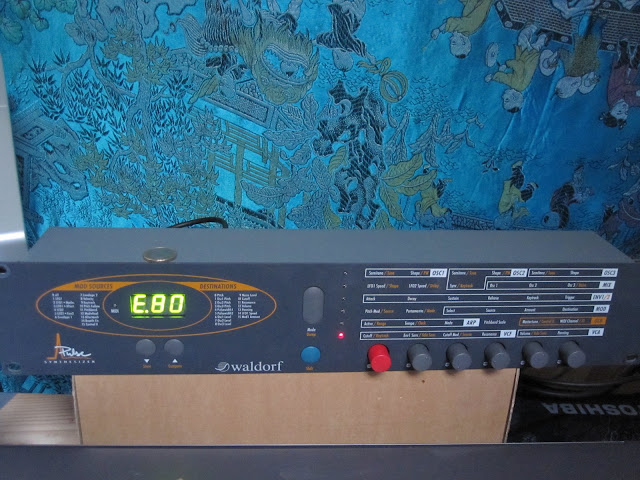
Waldorf Pulse – new arrival

January 27, 2011

First impressions are very positive! Lovely, ballsy tone. Easy to edit – realtime tweak friendly -now hooked-up and controlled by the X-station.